

What is VirgilTrack?
VirgilTrack helps public-sector organisations, such as village councils, town councils and municipalities, manage their risks, carry out their strategic plan and see each week what work is getting done. Everyone in the organisation uses the same system, each with the tools their role needs.
VirgilTrack runs in your web browser, so there is nothing to install.
Who VirgilTrack is for
Section titled “Who VirgilTrack is for”VirgilTrack is made for local authorities and other public bodies. When an organisation signs up, it chooses one of these types: Village Council, Town Council, Municipality or Other.
Each person belongs to one organisation and usually one department. What they can do depends on their role:
- Employees do and report the work.
- Managers run a department or a team.
- The CEO leads the whole organisation.
- Administrators are VirgilTrack’s own staff, who look after every organisation on the platform.
See Roles and what each can do.
What you can do with VirgilTrack
Section titled “What you can do with VirgilTrack”Manage risks
Section titled “Manage risks”Record the risks your department faces, score them and decide how to control them. The Risk Register lists your department’s risks. The Kanban Board shows them as cards in columns by status, which you move by dragging. The Risk Repository is a catalogue of common risks you can copy into your department instead of starting from nothing. See Managing risks.
Plan and carry out your strategy
Section titled “Plan and carry out your strategy”Execution holds your organisation’s strategic plan: its objectives, KPIs (key performance indicators), initiatives, budget and annual plans. You can upload the plan as a PDF, and VirgilTrack picks out the objectives and how they connect, ready for you to check. Managers and staff then see the pages that concern them. See Strategy and execution.
Organise and delegate work
Section titled “Organise and delegate work”Tasks shows the work given to you and the work you’ve given others, as a list or as a board, with what is due over the next two weeks. If you connect your mailbox, From your email suggests tasks and progress it found in your email, for you to confirm. A calendar shows events and deadlines. See Tasks and Calendar and reminders.
Report on your week
Section titled “Report on your week”Each week, employees and managers write a work report. Reports flow up the reporting lines: employees report to their manager, and managers report to the CEO. See Work reports and records.
Work together
Section titled “Work together”Send one-to-one messages in Private Chat, see who is online in the team bar, and get notifications about the things that concern you. Keep your documents in the File Manager. See Communication and Files and documents.
See the big picture
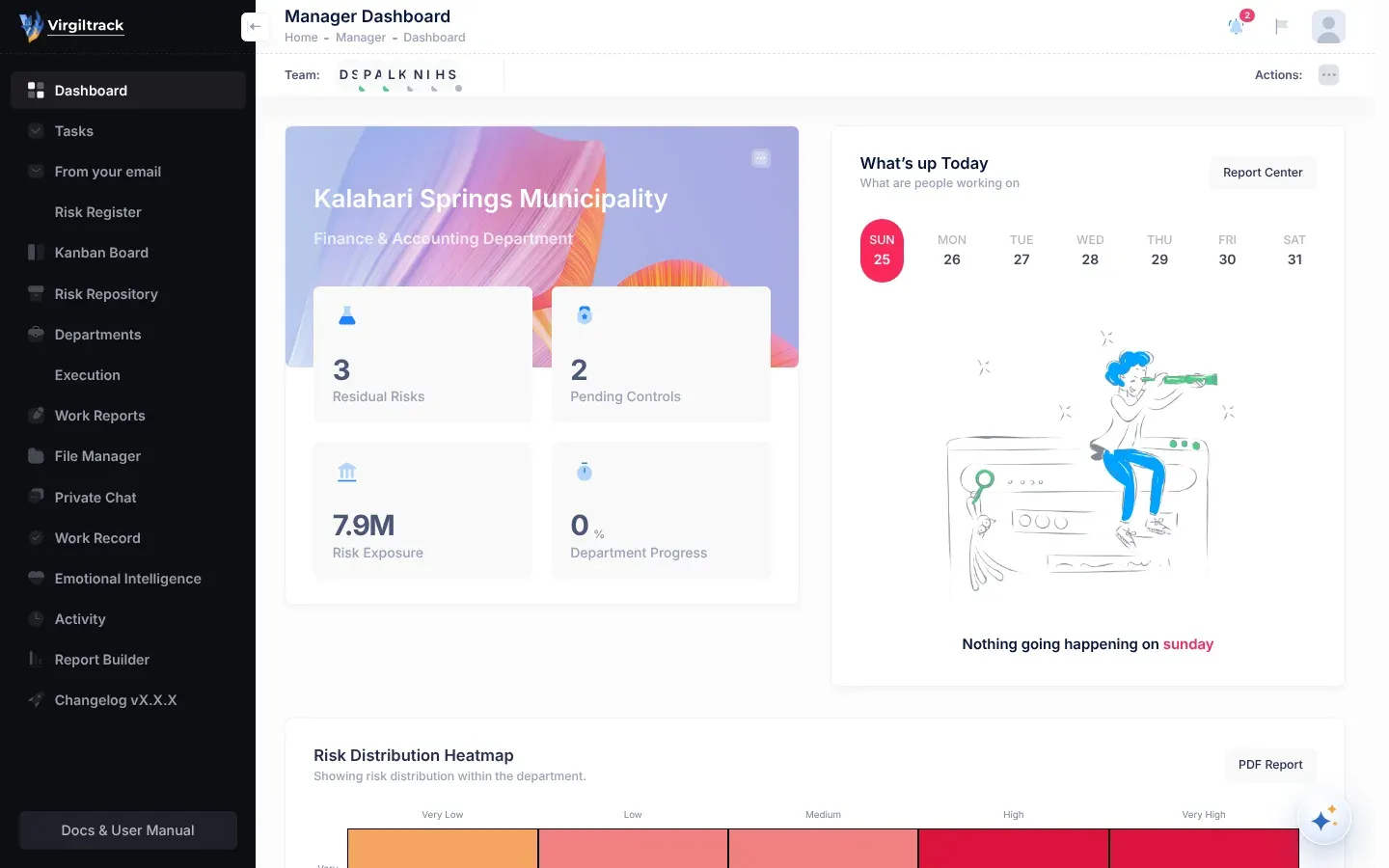
Section titled “See the big picture”Dashboards give each role a summary of what matters to them. Activity shows a timeline of what has happened in your organisation this year. The Report Builder turns your risk information into reports you can download. See Dashboards and Reports.
Get help from Virgil
Section titled “Get help from Virgil”Virgil Copilot is the assistant built into VirgilTrack. Ask it questions, or ask it to prepare work for you to confirm. See The AI assistant.
Look after people
Section titled “Look after people”Emotional Intelligence offers short lessons, practice conversations and private reflection, to help people handle emotions at work. See Emotional intelligence.
Run the platform
Section titled “Run the platform”Administrators review organisations’ sign-up requests, look after organisations and their people, and create demo links. See Platform administration.
How the pieces fit together
Section titled “How the pieces fit together”VirgilTrack connects the organisation’s plans with its daily work:
- The strategic plan sets out objectives, with KPIs to measure them and initiatives to achieve them.
- Tasks carry out the initiatives, and the people doing them record their progress.
- Weekly work reports pass what was done up the reporting lines, to managers and the CEO.
- Risks are recorded by each department and can be linked to the objectives they threaten.
- Dashboards and reports bring it all together for the people who need to see it.
Where to start
Section titled “Where to start”| You are | Start with |
|---|---|
| New to VirgilTrack | Getting started |
| An employee | Tasks, then Your weekly report |
| A manager | Managing risks, then Review your team’s reports |
| The CEO | Strategy and execution, then The CEO dashboard |
| An administrator | Platform administration |
| Signing up a new organisation | Sign up your organisation |
New to the words used in risk management? See the Glossary.