

Send a maintenance notice
Hierdie inhoud is nog nie in jou taal beskikbaar nie.
Before planned maintenance, or when urgent work means VirgilTrack will be unavailable, warn people with a service notice. It reaches everyone in the organisations you choose, and nobody can switch it off.
Before you start
Section titled “Before you start”- Only system administrators can send notices. Anyone else sees “Only system administrators can send announcements.”
- The page isn’t in the menu. Open it by adding
/admin/announcementsto VirgilTrack’s address, for examplehttps://virgiltrack.virgilfinance.com/admin/announcements. - Know the start and end time of the downtime, and what people should do before it starts.
Send a notice
Section titled “Send a notice”-
Open
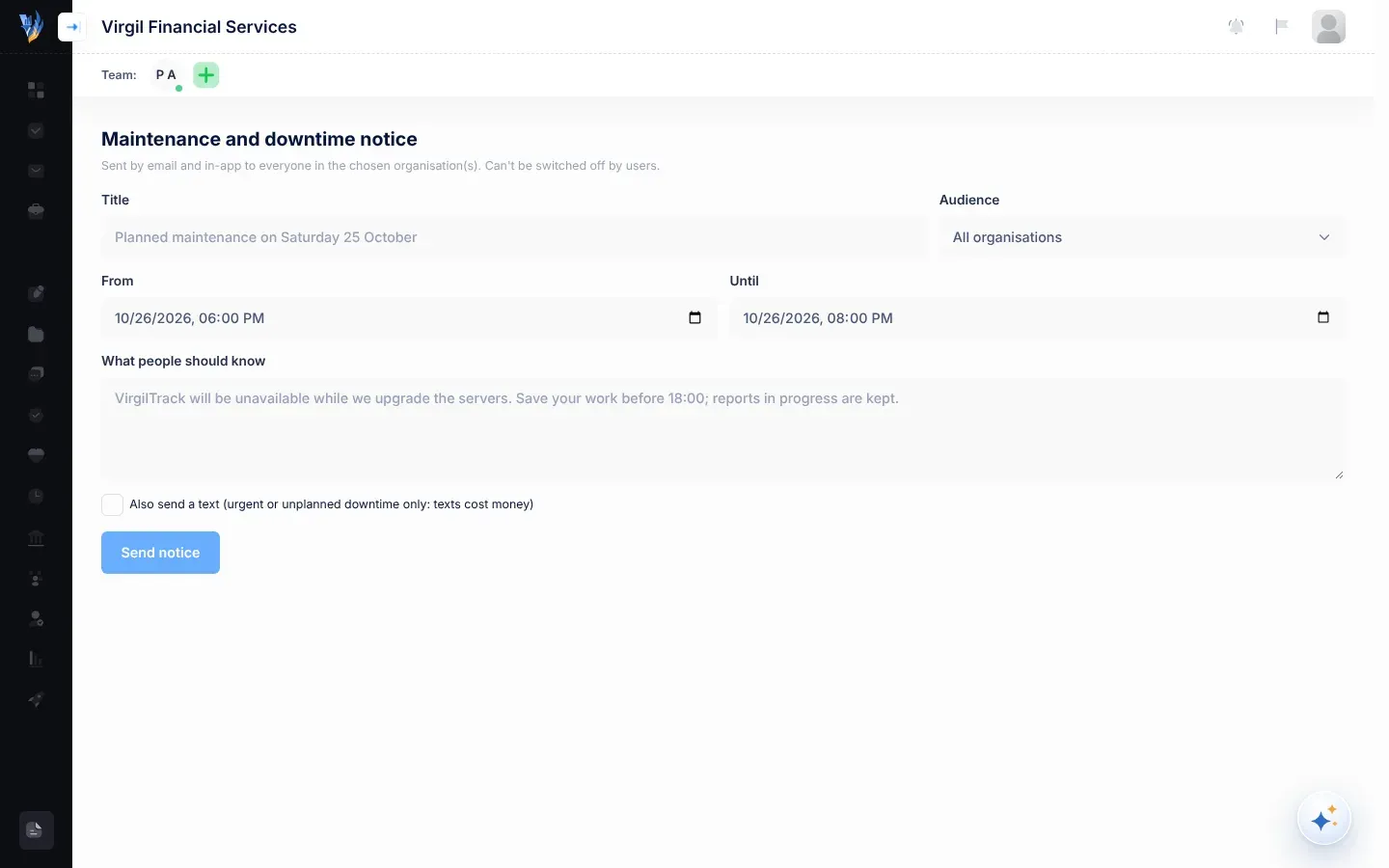
/admin/announcements.The page is headed Maintenance and downtime notice.
-
Type a short Title, for example “Planned maintenance on Saturday 25 October”.
-
In Audience, keep All organisations, or choose one organisation.
-
Set From and Until: the date and time the downtime starts and ends.
They start as tomorrow, 18:00 to 20:00. Check both before you send.
-
In What people should know, say what will happen and what people should do, for example “VirgilTrack will be unavailable while we upgrade the servers. Save your work before 18:00; reports in progress are kept.”
-
Tick Also send a text (urgent or unplanned downtime only: texts cost money) only if the notice is urgent.
-
Select Send notice.
Send notice stays greyed out until you’ve filled in Title and What people should know. While it sends, it shows Sending…. Then “Notice queued for … people.” tells you how many people it is going to.
What people receive
Section titled “What people receive”Everyone whose account is open in the chosen organisation gets the notice; with All organisations, that is everyone on VirgilTrack. Deactivated accounts don’t.
| Where | What it shows |
|---|---|
| A “Service notice” with your title as its subject and heading, the time (“When”), and your message. It ends with “We’ll keep the interruption as short as possible. Questions: +264 81 783 0750 or info@virgilfinance.com.” | |
| In VirgilTrack | A notification with your title, and the time followed by your message. |
| Text message (if you ticked it) | Your title and the time, with a link. |
The time appears as one line. For downtime within one day it looks like “Saturday 25 October, 18:00–20:00”. Across two days, it shows both dates.
Emails are sent even to people who have switched other emails off, because system notices can’t be switched off. See Notifications.
Who gets a text
Section titled “Who gets a text”A text only goes to people who allow texts in their settings and have a verified mobile number. VirgilTrack doesn’t send texts between 20:00 and 07:00 in the person’s time zone; a text sent at night waits until 07:00.