

Your work record and leaving
Hierdie inhoud is nog nie in jou taal beskikbaar nie.
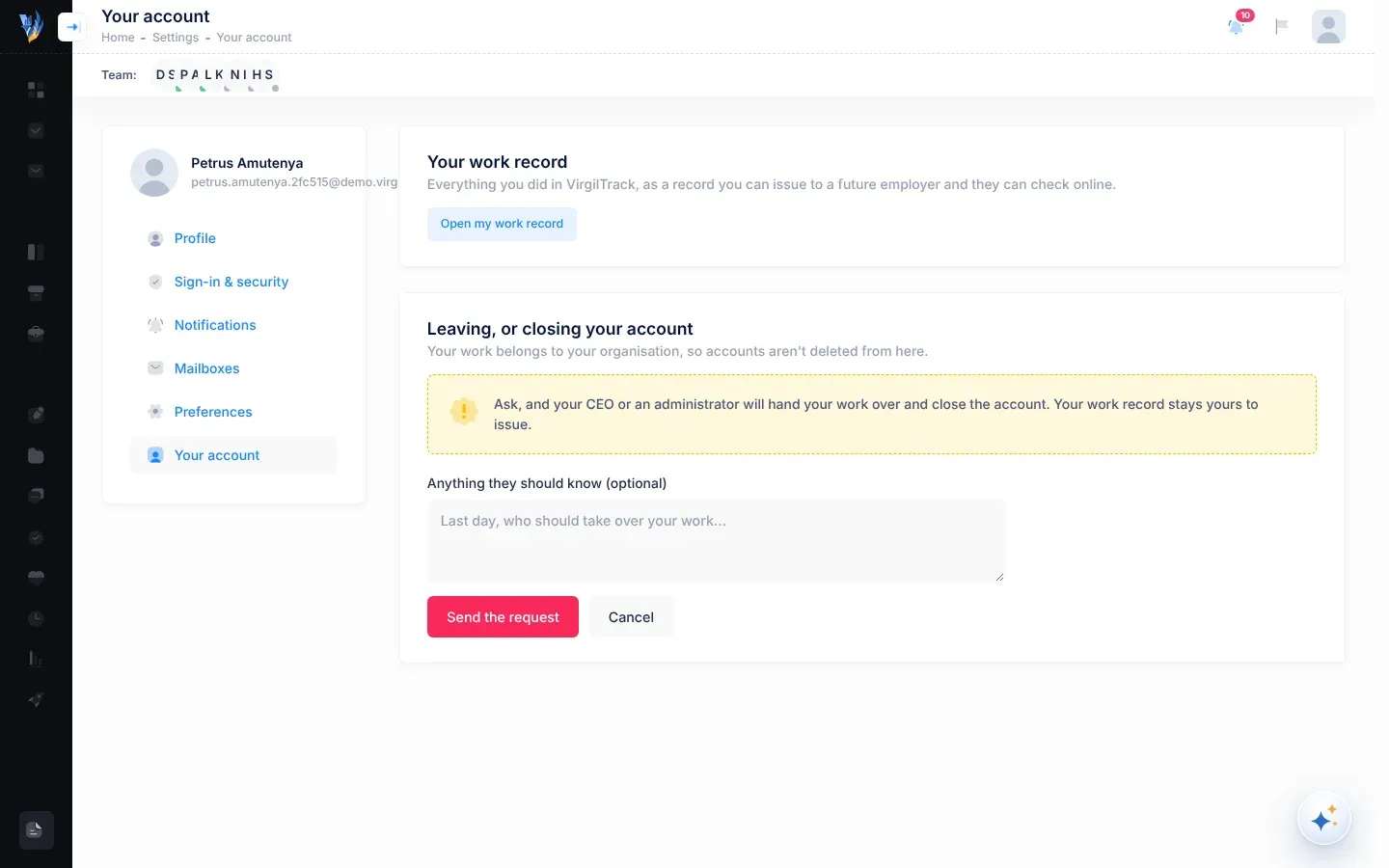
Your account is the last section of Settings. From here you open your work record, and you ask for your account to be closed when you leave your organisation.
Open it with Your picture, then Settings, then Your account.
Your work record
Section titled “Your work record”Your work record is “Everything you did in VirgilTrack, as a record you can issue to a future employer and they can check online.”
The Open my work record button opens the Work Record screen. In this version, that screen only opens for platform administrators. Everyone else sees “You are not authorized to view this page.” See Your work record.
Ask to close your account
Section titled “Ask to close your account”You can’t delete your own account, because your work belongs to your organisation. Instead, you ask. Your CEO or an administrator then hands your work over to someone else and closes the account. Your work record stays yours to issue.
-
Under Leaving, or closing your account, select Ask to close my account.
-
In Anything they should know (optional), add a note if you want to. For example, your last day and who should take over your work.
-
Select Send the request.
To stop without sending, select Cancel.
What happens next
Section titled “What happens next”- You see “Your request was sent. You’ll hear back from your organisation.”
- Your CEO and VirgilTrack’s administrators get an email, “… asked to close their VirgilTrack account”, with your note. They also see an Account closure request under the bell.
- They hand your work over to someone else and close your account. Until then, you can keep using VirgilTrack as normal.
If something goes wrong
Section titled “If something goes wrong”| What you see | Why, and what to do |
|---|---|
| “There’s nobody to send the request to. Contact info@virgilfinance.com.” | Your organisation has no CEO or administrator who can receive the request. Email the address shown. |
| “This is a demo, so sign-in details can’t be changed here.” | You are using a demo organisation, where accounts can’t be closed. |