

The plan overview
Hierdie inhoud is nog nie in jou taal beskikbaar nie.
The Overview page shows the whole approved strategic plan on one page: how far through it you are, how its KPIs are doing, where the money stands and how each objective is progressing. Start here when you want the big picture.
Open the overview
Section titled “Open the overview”Open Execution, then Overview. The CEO sees it first when opening Execution. Other people can open it if the CEO has given them access. See Manage plans and page access.
If the plan hasn’t been approved yet, this page shows the plan waiting for approval instead. See Review and approve an imported plan.
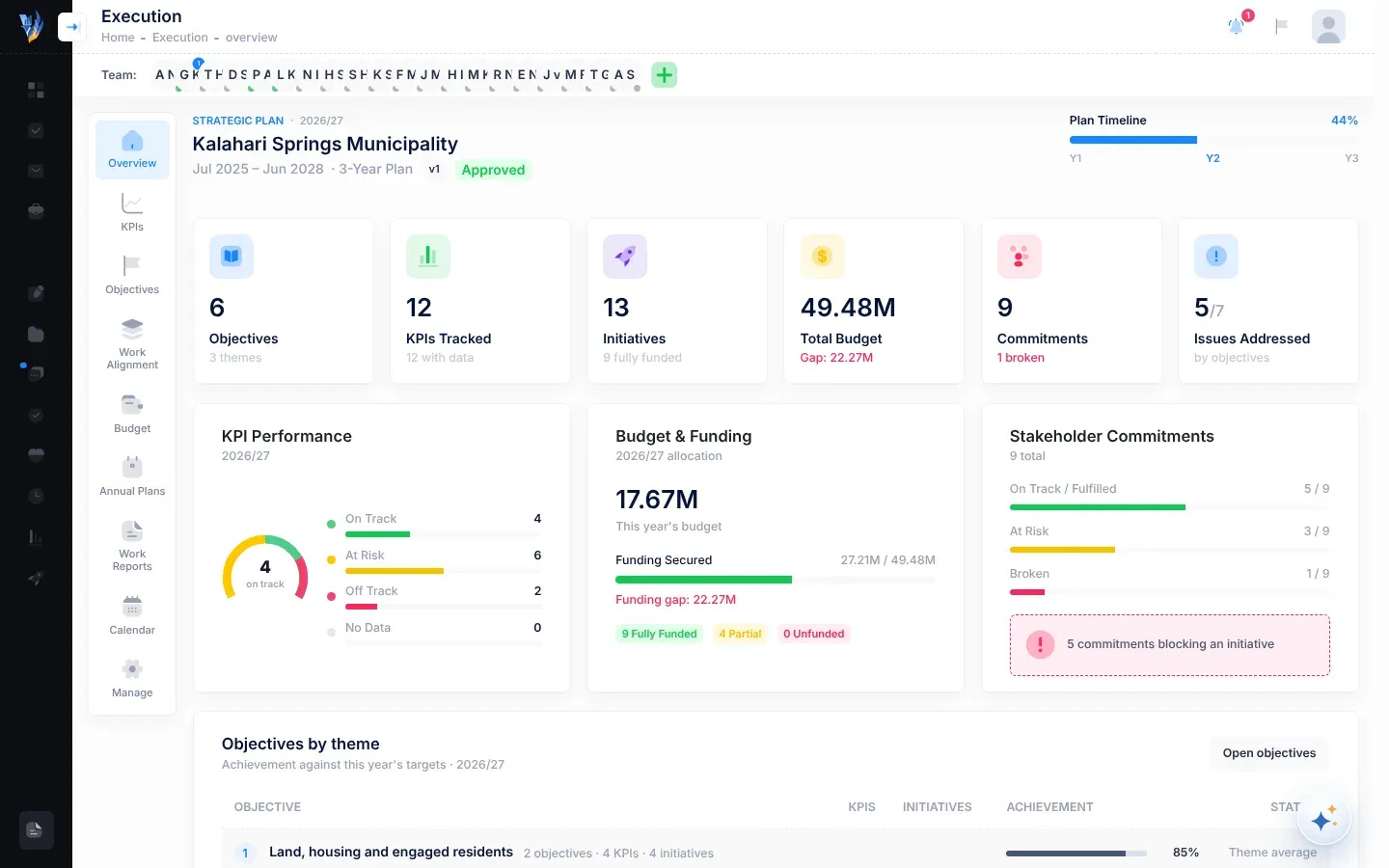
The top of the page
Section titled “The top of the page”- The title is your organisation’s name. Above it is the current plan year, for example 2026/27.
- Under the title: the plan’s start and end months, how many years it has (for example 5-Year Plan), its version (for example v1) and its approval status, Approved.
- Plan Timeline, on the right: how much of the plan’s time has passed, as a bar and a percentage. Under the bar, Y1, Y2 and so on stand for the plan’s years. The current year is highlighted.
The figure tiles
Section titled “The figure tiles”A row of tiles gives the headline figures. Some tiles only appear when the plan has that kind of information.
| Tile | What it shows |
|---|---|
| Objectives | How many objectives the plan has, and under how many themes. |
| KPIs Tracked | How many KPIs the plan has, and how many have a result for this year (with data). |
| Initiatives | How many initiatives the plan has, and how many are fully funded this year. Funding pending means no budgets have been entered yet. |
| Total Budget | The budget of all initiatives over all the plan’s years. Under it, Gap shows how much of it isn’t secured yet, or Fully secured if all of it is. Shown when budgets have been entered. |
| Commitments | How many commitments stakeholders made in the plan. Under it, how many are broken, or All on track. Shown when the plan has commitments. |
| Issues Addressed | How many of the plan’s strategic issues are addressed by at least one objective, out of all of them. Shown when the plan has strategic issues. |
Amounts are shortened: K for thousands, M for millions and B for billions.
KPI Performance
Section titled “KPI Performance”This card shows how this year’s KPIs are doing. A ring shows how many are on track, and a list counts each status:
| Status | Meaning |
|---|---|
| On Track | The KPI’s result has reached this year’s target. |
| At Risk | The result is at least three-quarters of the way to the target, but not there yet. |
| Off Track | The result is less than three-quarters of the way to the target. |
| No Data | No result has been recorded for this year, or the KPI has no target for this year. |
For KPIs where lower is better, the comparison is turned around. See How progress and status are worked out.
Budget & Funding
Section titled “Budget & Funding”Shown when budgets have been entered.
- This year’s budget: the total allocated to initiatives for the current year.
- Funding Secured: how much is secured, out of the budget for all years, as a bar. If part of it isn’t secured, Funding gap shows how much.
- Three counts of this year’s initiatives: Fully Funded, Partial and Unfunded. Unfunded includes initiatives whose missing money is still being sought, from a grant or from the Ministry.
Stakeholder Commitments
Section titled “Stakeholder Commitments”Shown when the plan lists commitments that stakeholders made to your organisation. Bars count the commitments that are On Track / Fulfilled, At Risk and Broken. If the plan says an initiative depends on some of these commitments, a note says how many, for example “2 commitments blocking an initiative”.
Objectives by theme
Section titled “Objectives by theme”This table shows each objective’s achievement against this year’s targets, grouped by theme.
- A theme’s row (with a grey background) shows the theme’s number and name, how many objectives, KPIs and initiatives it has, and its Theme average: the average achievement of its KPIs that have a result.
- An objective’s row shows its number (for example 2.1), its title, its number of KPIs and Initiatives, its Achievement as a bar and a percentage, and its Status: On track, At risk, Off track or No data yet. An objective with no results yet says “No results recorded yet”.
Select an objective’s title, or Open objectives, to go to the Objectives page. See Objectives.
National Alignment and Strategic Issues
Section titled “National Alignment and Strategic Issues”- National Alignment lists the development frameworks your objectives are linked to, for example SDGs. Shown when objectives have such links.
- Strategic Issues shows how many of the plan’s strategic issues are addressed by objectives. If some are not linked to any objective yet, it says how many, for example “2 issues not yet linked to any objective”. Otherwise it says “All issues are addressed”.