

The Departments page
Hierdie inhoud is nog nie in jou taal beskikbaar nie.
The Departments page shows every department in your organisation as a card. Use it to see at a glance which departments are on top of their risks, and to open a department’s own page.
Open it with Departments in the menu on the left.
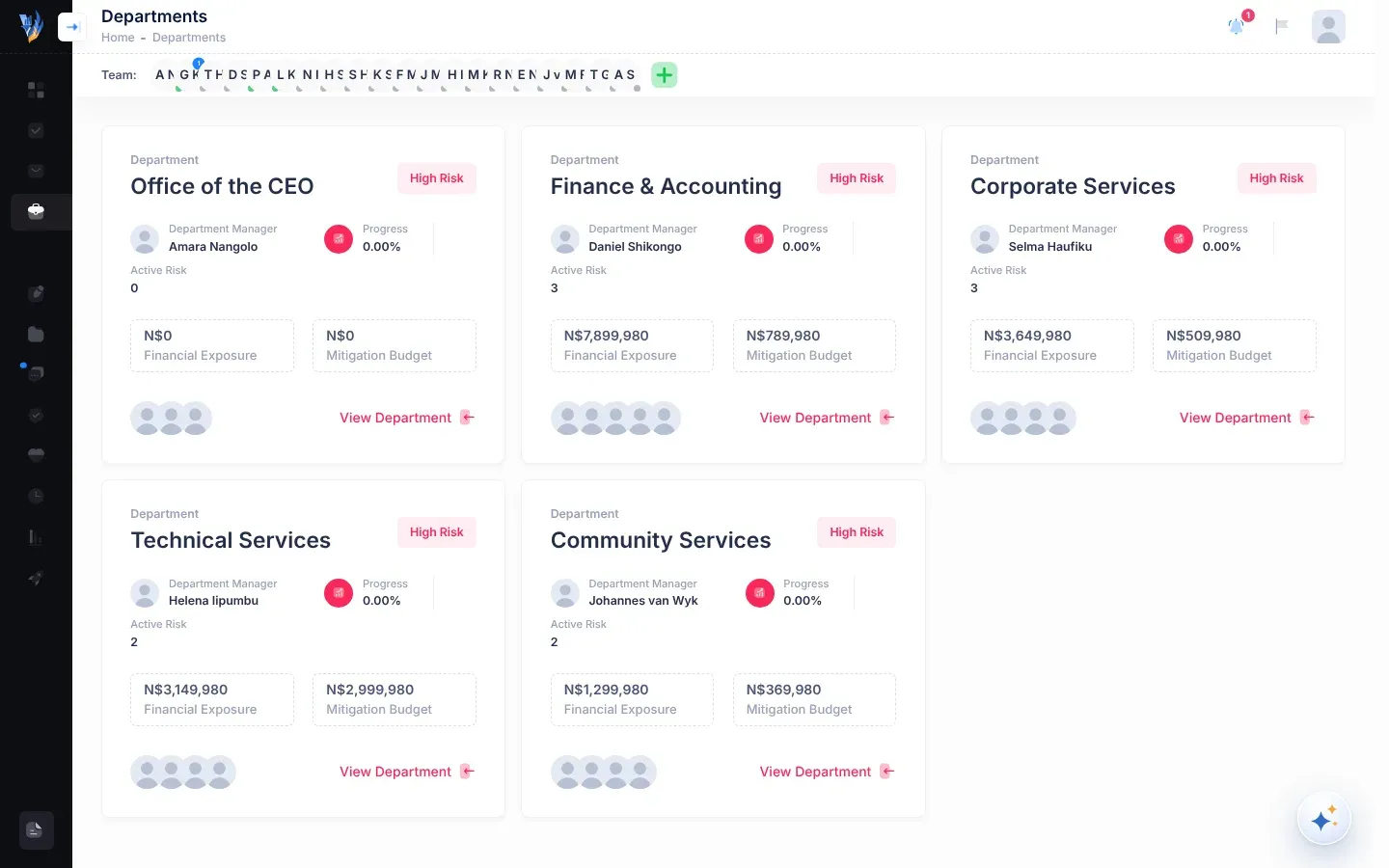
What each card shows
Section titled “What each card shows”| Part of the card | What it means |
|---|---|
| Department and the name | The department’s name. |
| Status badge | How far the department is with this year’s risks. See The status badge below. |
| Department Manager | The department’s manager. If it has several, the label is Department Managers and the card shows one name “and … more”. |
| No manager: assign | Shown in red instead of a name when the department has no manager. It opens the department’s People section. |
| Progress | The share of the risks recorded for the department this calendar year that are now mitigated. |
| Active Risk | The number of risks recorded for the department. It counts all of them, including mitigated risks. |
| Financial Exposure | The total possible loss, in Namibian dollars (N$), from the department’s risks that are not yet mitigated. |
| Mitigation Budget | The total expected cost, in N$, of reducing the department’s risks that are not yet mitigated. |
| Pictures | The people who belong to the department. Point at a picture to see the person’s name. |
| View Department | Opens the department’s page. You can also select anywhere on the card. |
A risk is mitigated when the work to reduce it is done and someone has marked it as mitigated. See Managing risks.
The status badge
Section titled “The status badge”The badge in the top corner of each card comes from the department’s Progress figure.
| Progress | Badge |
|---|---|
| Under 44% | High Risk |
| 44% to under 69% | Requires Attention |
| 69% to under 80% | In Progress |
| 80% to under 100% | On Track |
| 100% | Healthy |
Progress only looks at risks recorded this calendar year. A department with no risks recorded yet this year shows 0% and High Risk. That doesn’t mean something is wrong: it means there is nothing to measure yet.
- You see every department’s card, but you can only open your own department and the departments you manage. The CEO and administrators can open them all. See Departments.
- Active Risk counts mitigated risks too. For the number of risks still open, open the department and look at open risks.
- The CEO’s own department, Executive Suite, has no card. If your organisation has no other departments yet, the page says “No departments to display”.