

The activity timeline
Hierdie inhoud is nog nie in jou taal beskikbaar nie.
The Activity page is a running list of what has happened in your organisation this year, with the newest at the top. Use it to catch up on new risks, risk status changes, new controls and other news. Everyone in the organisation can open it.
Open the activity timeline
Section titled “Open the activity timeline”-
Select Activity in the menu on the left.
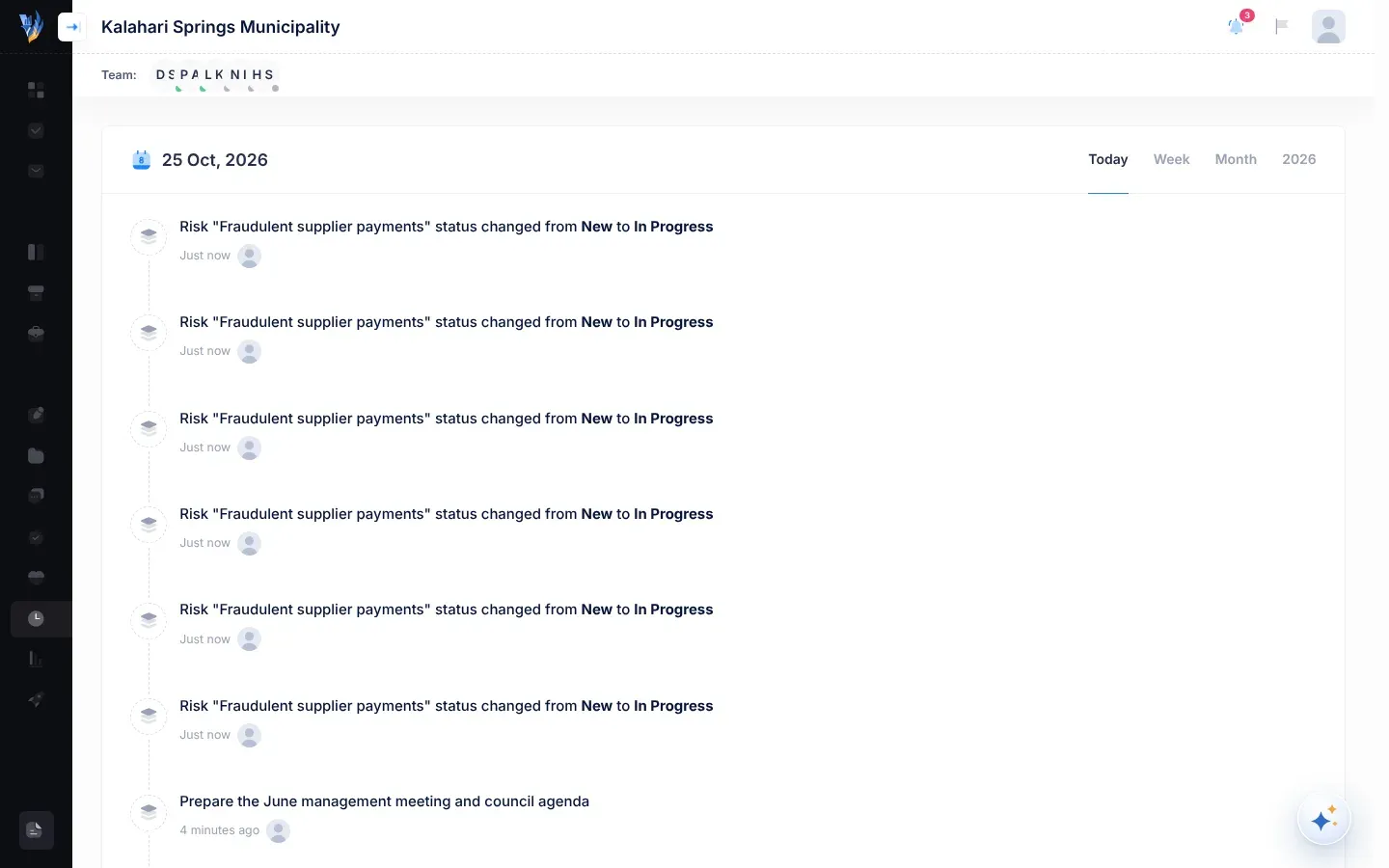
The page opens with today’s date at the top, for example “25 Oct, 2026”.
What each entry shows
Section titled “What each entry shows”Each entry on the timeline has:
- What happened, in a sentence. Important words, such as a risk’s old and new status, are in bold.
- How long ago it happened, such as “Just now”, “5 minutes ago”, “3 days ago” or “2 months ago”.
What appears on the timeline
Section titled “What appears on the timeline”| What happened | What the entry says, for example |
|---|---|
| Someone added a risk | Petrus Amutenya added a new risk: “Late payment of suppliers”. |
| Someone copied a risk from the Risk Repository | Petrus Amutenya added new risk: “Late payment of suppliers”. |
| Someone moved a risk to another status on the Kanban Board | Risk “Late payment of suppliers” status changed from New to In Progress |
| Someone added a control to a risk | Daniel Shikongo created a control: “Weekly creditor review”. |
| Someone published a calendar event | New Calendar MEETING: Quarterly risk committee (the event’s type in capitals, then its description) |
| VirgilTrack sent someone a notification, such as a task update or a mention | The notification’s own words |
| Your organisation asked to join VirgilTrack | Kalahari Springs Municipality has submited a request to register on the system |
The names and words in these examples are made up. Your timeline shows your own organisation’s people, risks and controls.
The tabs
Section titled “The tabs”At the top right are four tabs: Today, Week, Month and the current year, for example 2026. Each tab checks a period:
| Tab | The period it checks |
|---|---|
| Today | Today |
| Week | The last 7 days |
| Month | The last 30 days |
| The year, such as 2026 | This calendar year, from 1 January |
If something happened in a tab’s period, the tab shows this year’s timeline, newest first. If nothing happened in that period, the tab shows a message instead, such as “There is currently no Activity that occurred this Week.”
Because the newest entries are at the top, the start of the list is always the most recent news. Use how long ago each entry happened to see whether it falls in the period you want.
Going to what an entry is about
Section titled “Going to what an entry is about”Entries on this page don’t link anywhere. If you were notified about the same thing, select it in your notifications (the bell in the header) to go straight to it. See Notifications.
To look into a risk or control, open it from the Risk Register. See The risk register.
If something goes wrong
Section titled “If something goes wrong”| What you see | Why | What to do |
|---|---|---|
| “There is currently no Activity that occured Today.” | Nothing has been recorded in your organisation today. | Select Week, Month or the year to look further back. |
| The same entry appears several times | The timeline lists each notification VirgilTrack sent, one per person. | Nothing is wrong. |
| Last year’s activity is missing | The timeline only covers this calendar year. On 1 January it starts again, empty. | Nothing is wrong. |